 Parker Conley
 ChatGPT
Build a daily water-test sheet for one pool or spa, see how a completed entry reads, and choose the fields your facility needs.
Make a sheet for one body of water
A daily pool log should still make sense after the person who wrote it has gone home. Put the facility name, pool or spa name, and date at the top. Keep different bodies of water on separate sheets so a reviewer never has to guess which result belongs where.
Use the free generator to choose fields, add a custom measurement, and set the number of blank rows. Print the sheet, save it as a PDF through your browser, or download a CSV to adapt in a spreadsheet. The row count is space for entries, not a recommended testing interval.
Choose fields before you print
Start with test time, staff name, the measured result and its unit, and a place to reference follow-up work. Add the measurements required for your facility. The generator offers free chlorine, total chlorine, pH, temperature, alkalinity, and other optional fields; the selection is not a determination of which tests your facility needs.
For each custom field, include the unit in the label. “Flow (gpm)” is clearer than “Flow.” If the same facility uses different units, label each sheet explicitly. Record the testing schedule and applicable limits in your operating procedure rather than squeezing them into a small column heading.
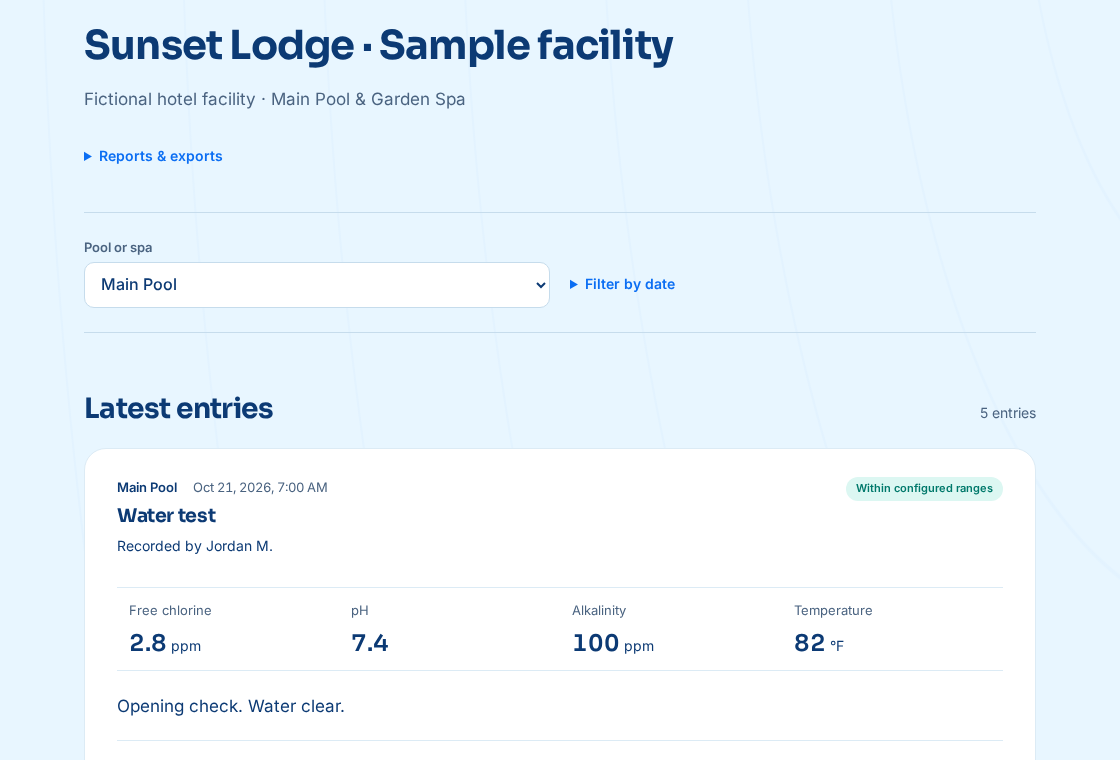
Read a completed example
Training example only: Cedar Court / outdoor pool / October 21, 2026. Test time: 09:10. Staff: Alex Rivera. Free chlorine: 3.0 ppm. pH: 7.4. Water temperature: 80 °F. Follow-up reference: none recorded for this entry. These example results demonstrate a written record; they are not universal target values or evidence that a pool may open.
Notice what the example does not say: “chemistry good.” It preserves the actual observations. A later reviewer can compare them with that facility’s procedure. If another required measurement was not taken, do not invent it to make the example look complete.
If an entry is transcribed later, identify the actual test time and the later entry time. If a result needs correction, follow your record-correction procedure and preserve the original information instead of silently replacing it.
Keep actions and retests connected
Use a short reference such as “Follow-up A” when the action record needs more room than the daily sheet provides. The matching record should identify the initial test, action, responsible person, and subsequent measurement. An action note and a retest are separate pieces of evidence.
Do not prefill real operating sheets with the training values. Keep examples marked as examples and store them outside the official log.
Check the form against your local requirements
Before putting the template into service, compare it with your health authority’s form, accepted formats, required measurements, and testing schedule. A blank template can support the workflow but cannot establish compliance. Keep equipment, incident, and other supplemental records where your team can retrieve them.
At the end of the day, give the sheet an owner: someone checks that each entry identifies the pool, time, and staff member, then files it in the agreed location. Set a retention and backup routine for both paper and electronic copies.

Less paperwork.
More poolside.
Give every pool a QR sign and every shift a clear record. Start with one pool and see how it fits your team.
Start your free trial →14 days free · No card needed · $15 per pool / month
Try the interactive demo